Features
One connected workflow. Every engineering control still visible.
From the professional site survey to calculation, plant design, schematics, quotation and reporting. Where a capability belongs to a paid plan, it says so on the line.
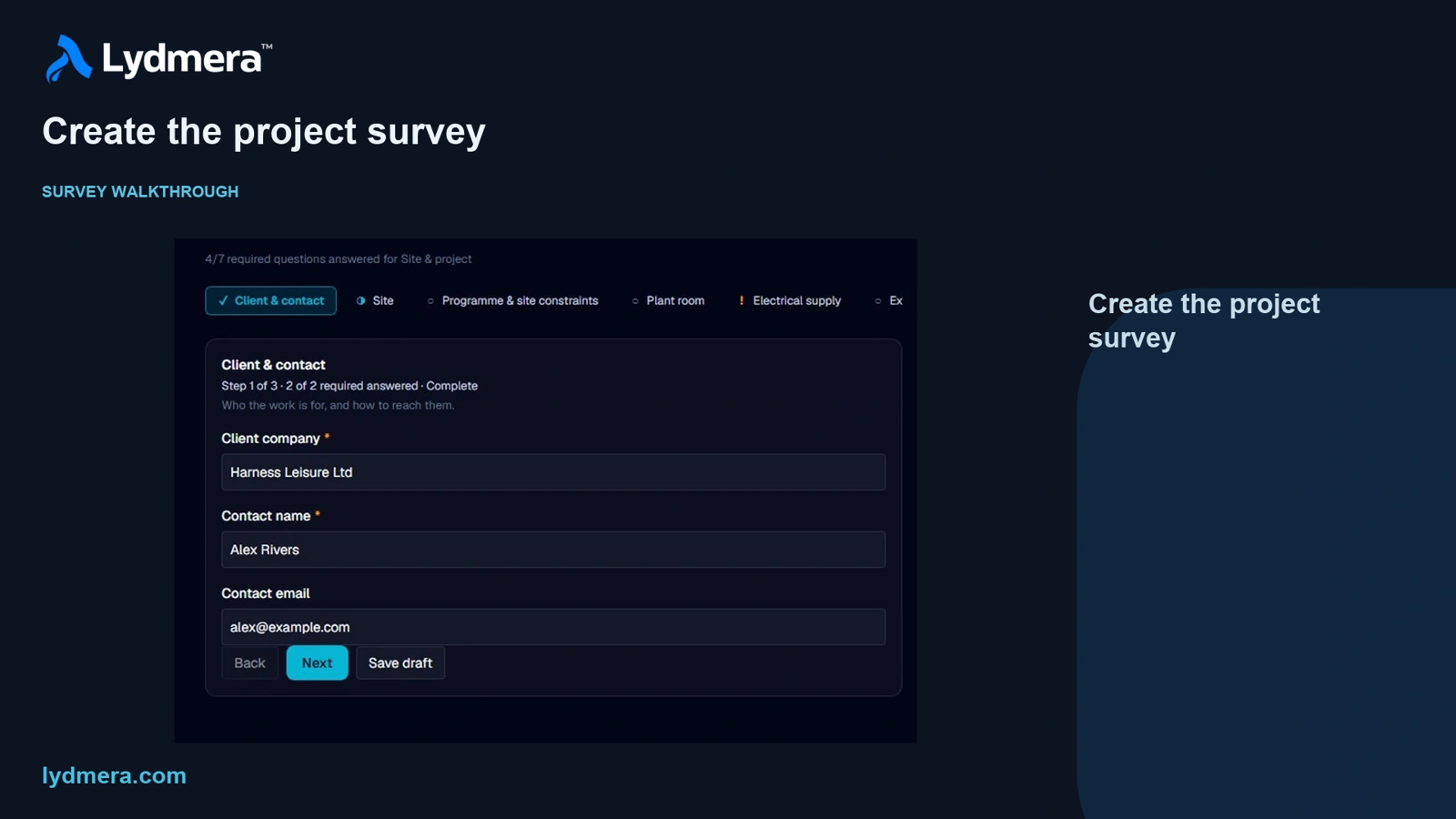
Professional site survey
Capture the site before assumptions reach the design
A guided, project-linked survey for recording what the engineer observes, measures and confirms during the visit.
Guided walkthroughPro
Short steps of two or three questions, organised by site and pool so the visit does not become one long form.
Notes and private evidencePro
Section notes, photographs and documents stay attached to the survey record they support.
Review before applyPro
Submitted answers are frozen as evidence. An engineer decides what can be applied to project inputs; nothing applies itself.
Project inputs
From the client’s brief to checked engineering inputs
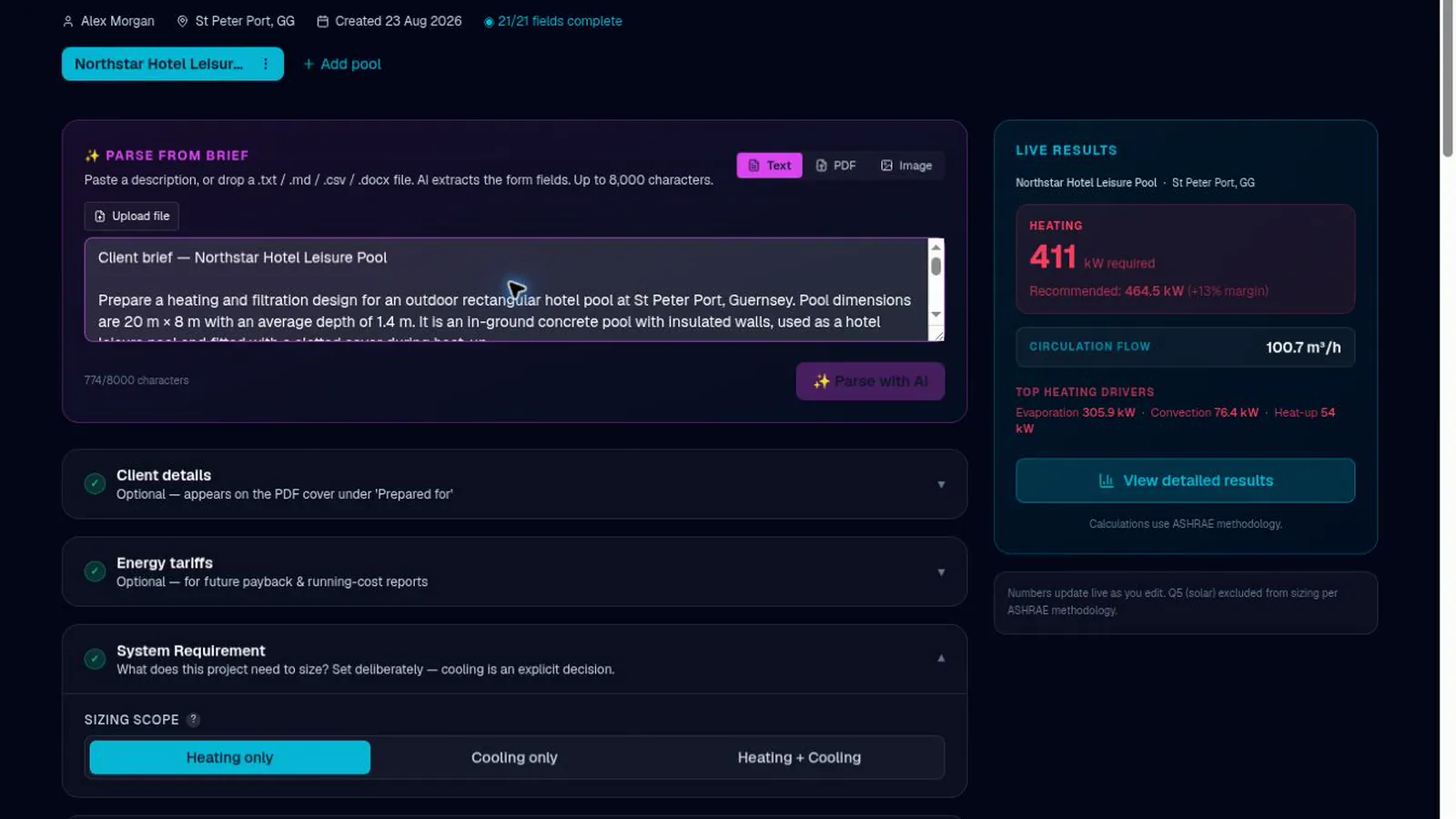
Start from what you were actually sent, and confirm every value before anything is calculated.
AI brief extractionPro
Text, PDF, images, spreadsheets and documents read for project inputs, presented as a draft for your review.
AI geometry extractionPro
Dimensions and geometry extracted from a labelled plan or sketch, ready for review.
Shape-aware inputs
Rectangular, kidney, freeform and custom shapes, with perimeter and area handled per shape rather than approximated.
Calculation
A heat balance you can take apart
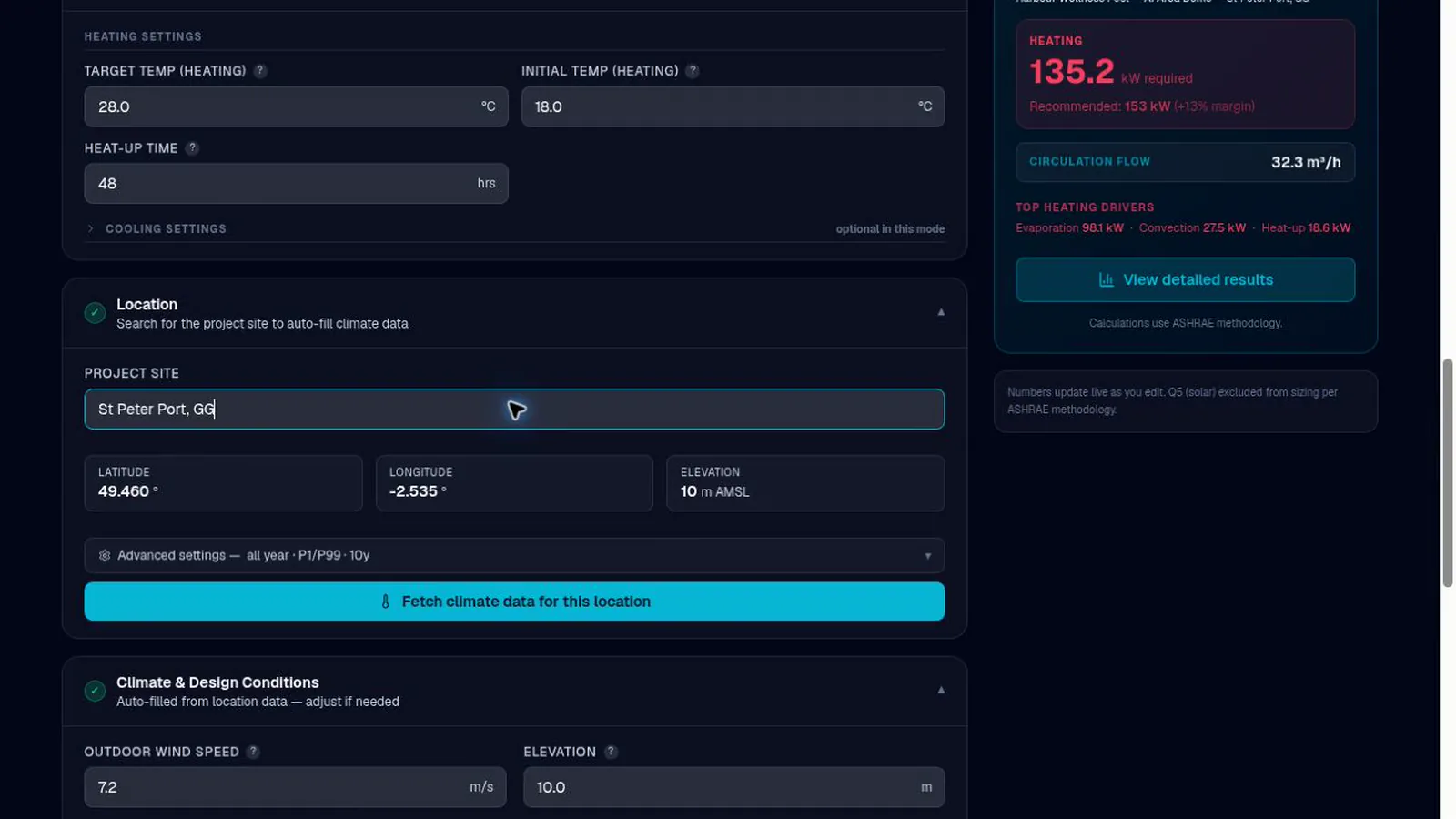
Review each component of the heat balance against the project inputs and selected archive-derived weather case.
Component breakdown
Evaporation, convection, radiation, pipework, walls and floor, and solar gain where it applies — each shown separately, in the app and the report.
Hourly climate archive and weather cases
Choose the archive period and percentile basis, compare temperature-led and wind-led cases, then review and confirm the inputs to apply.
Heating, cooling, or both
Set per pool, so an indoor spa and an outdoor pool can differ on one project.
Metric and imperial
Throughout, including every export. The engine works in metric and converts at the display boundary, so units change what you read and never what was computed.
Plant and circulation
Size the plant, and check it as you go
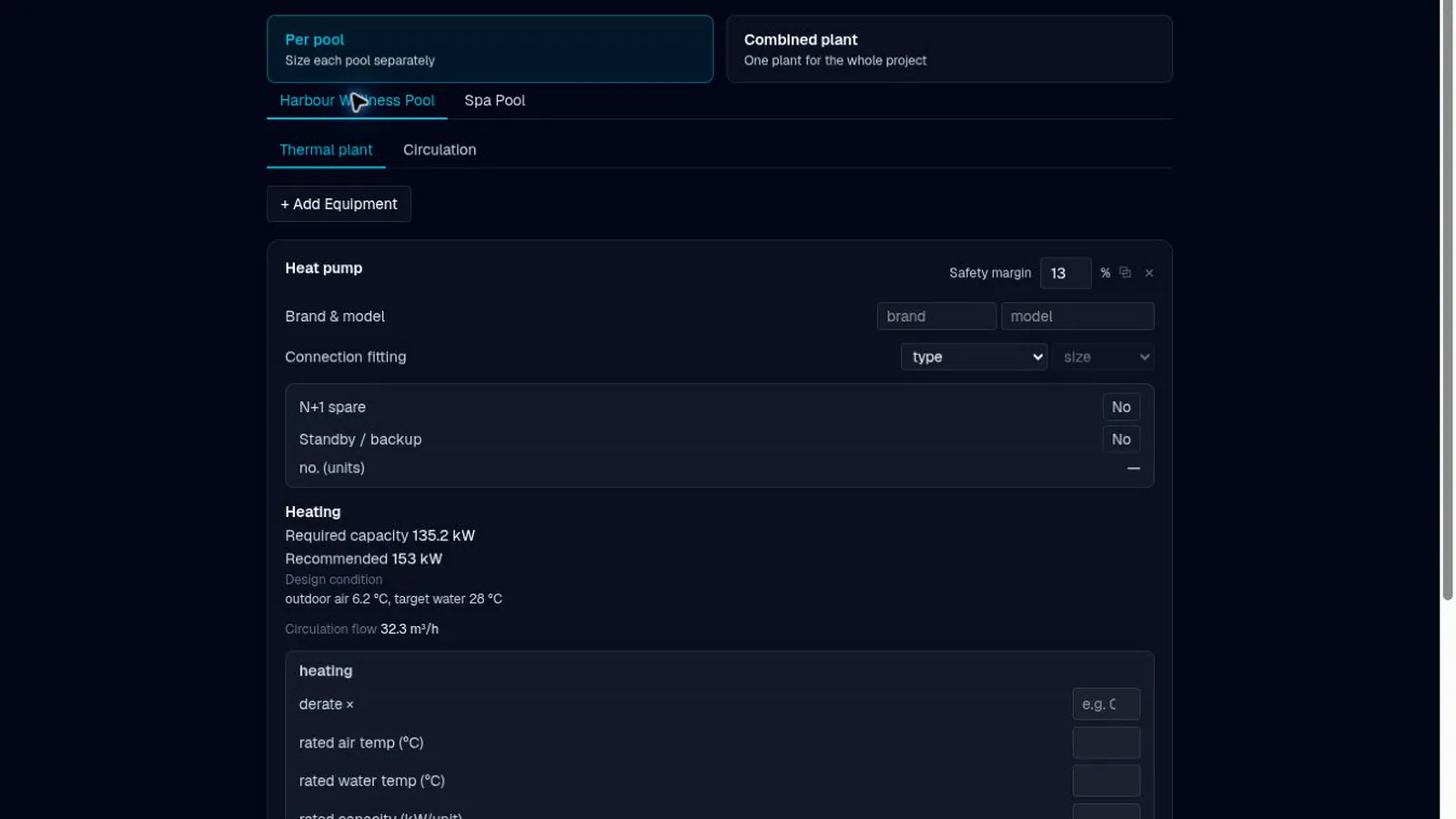
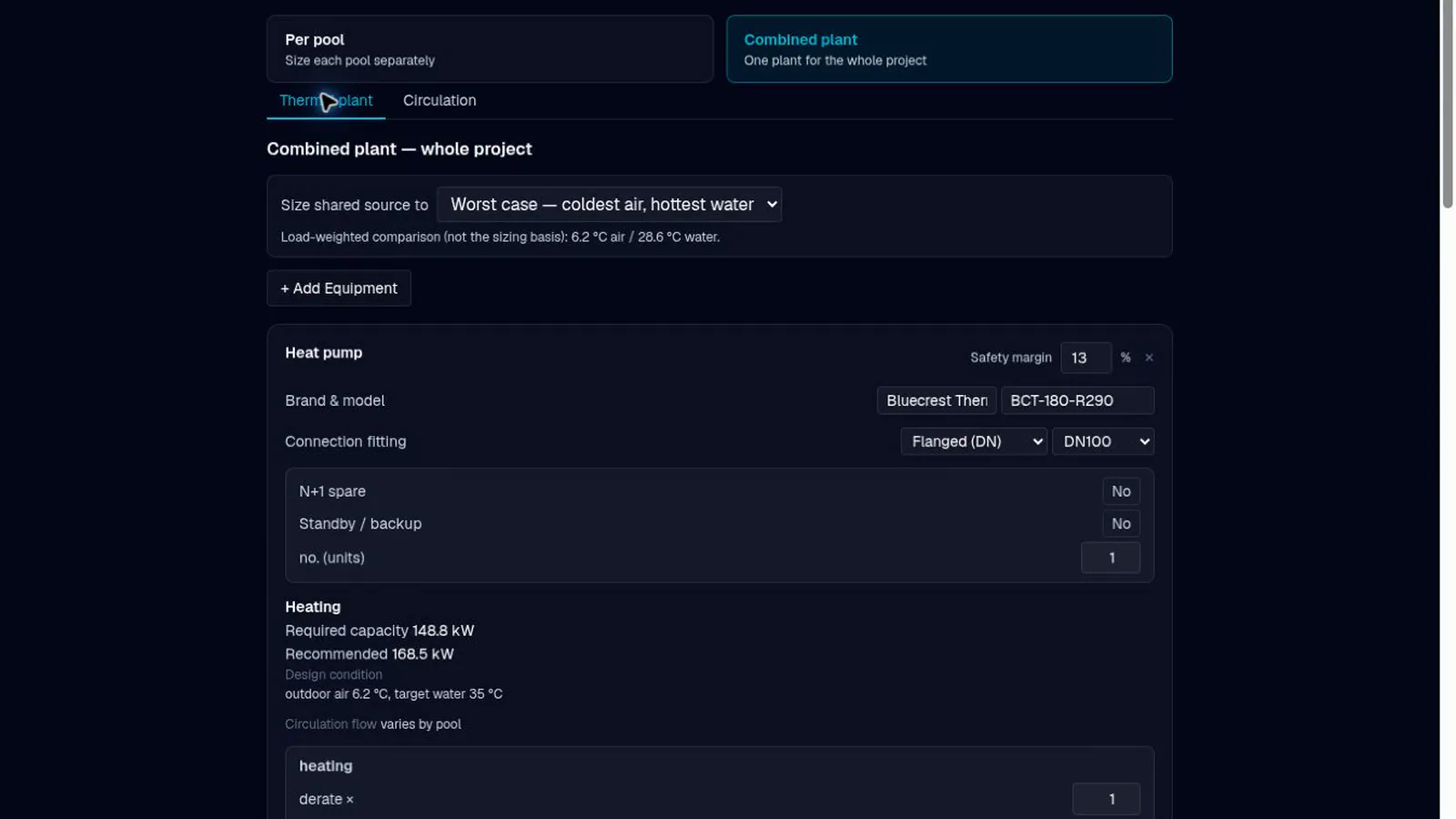
Per pool or as one combined plant, with filtration and pipework evaluated using versioned Lydmera screening assumptions whose scope is disclosed.
Per-pool or combined plantPro
Both on the same project, without rebuilding the design to switch.
Filtration cross-checkPro
Turnover and filter area compared across versioned Lydmera screening assumptions, with their source family, scope and limitations stated.
Circulation and pump dutyPro
Total head, NPSH available and margin, with pipe velocities checked against the limits as bores are entered.
Equipment selection
Size from the manufacturer’s published data
Review published equipment ratings and their conditions, then assess suitability against your project requirement.
AI datasheet extractionPro
Heat-pump and heat-exchanger ratings, plus numeric pump performance tables, extracted from manufacturer PDFs for review.
Design-point selectionPro
Keep the published rating conditions with each selected model and check its available duty against the project requirement.
Duty, standby and installed capacityPro
Unit counts with N+1 where required, and installed capacity shown against the requirement including the margin applied.
Equipment libraryPro
Save and reuse equipment across projects, browse model families and import numeric pump performance tables with review and confirmation.
Schematics
What you approved is what prints
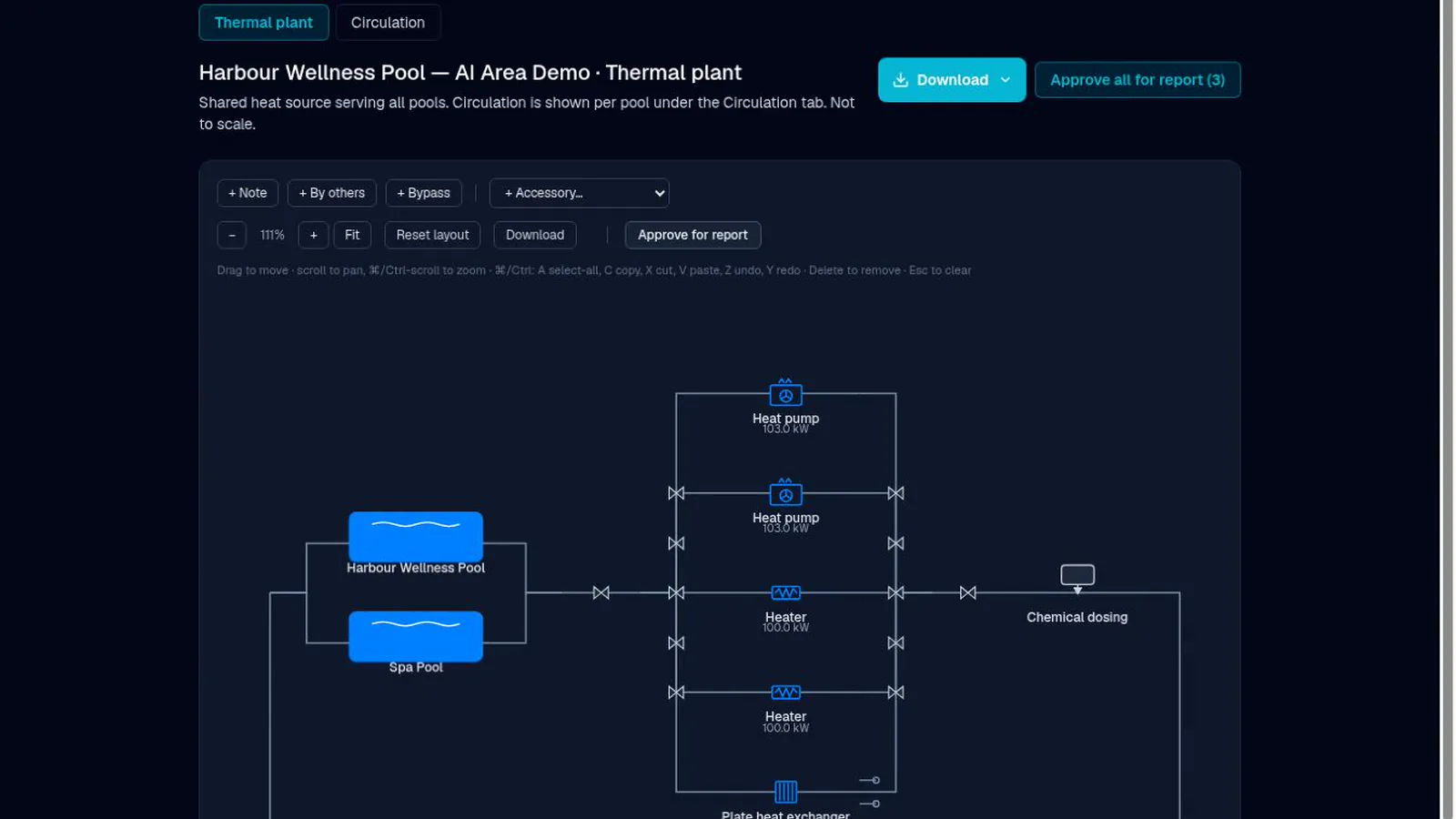
A drawing you arrange and sign off, which stops being approved the moment it changes.
Editable canvasPro
Drag-and-drop layout with notes, accessories, bypass overlays and "by others" markers.
Approval that lapsesPro
Move a node or change the plant and the approval lapses automatically. The report says so rather than printing a drawing nobody signed.
Captured, not redrawnPro
The approved drawing is captured as an image and printed exactly as approved, so the report cannot differ from the screen.
Estimate & quotation
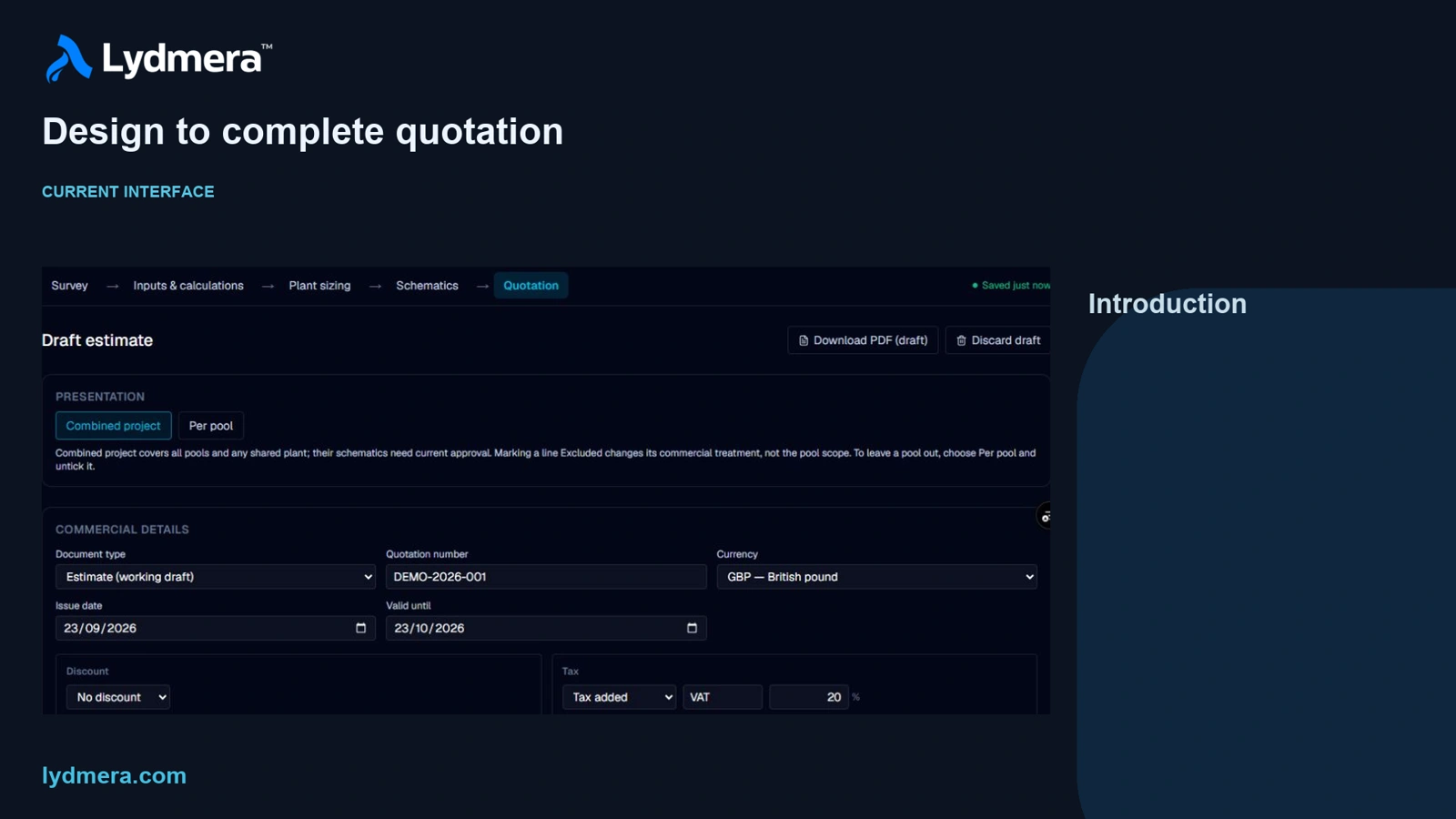
Build the commercial document from the design
Start with the selected equipment, then add the materials, labour and services you price for the job.
Equipment and the scope around itPro
Add manually priced materials, labour, installation, commissioning, delivery and design fees. Set discounts, tax, exclusions and payment terms.
Combined or per poolPro
Present one project quotation or separate pool sections, with explicit pool inclusion and consistent totals.
Controlled issuePro
Refresh changed design lines while retaining prices and manual scope. Review flagged changes before issuing a frozen PDF revision.
Reports and exports
Issue it under your own name
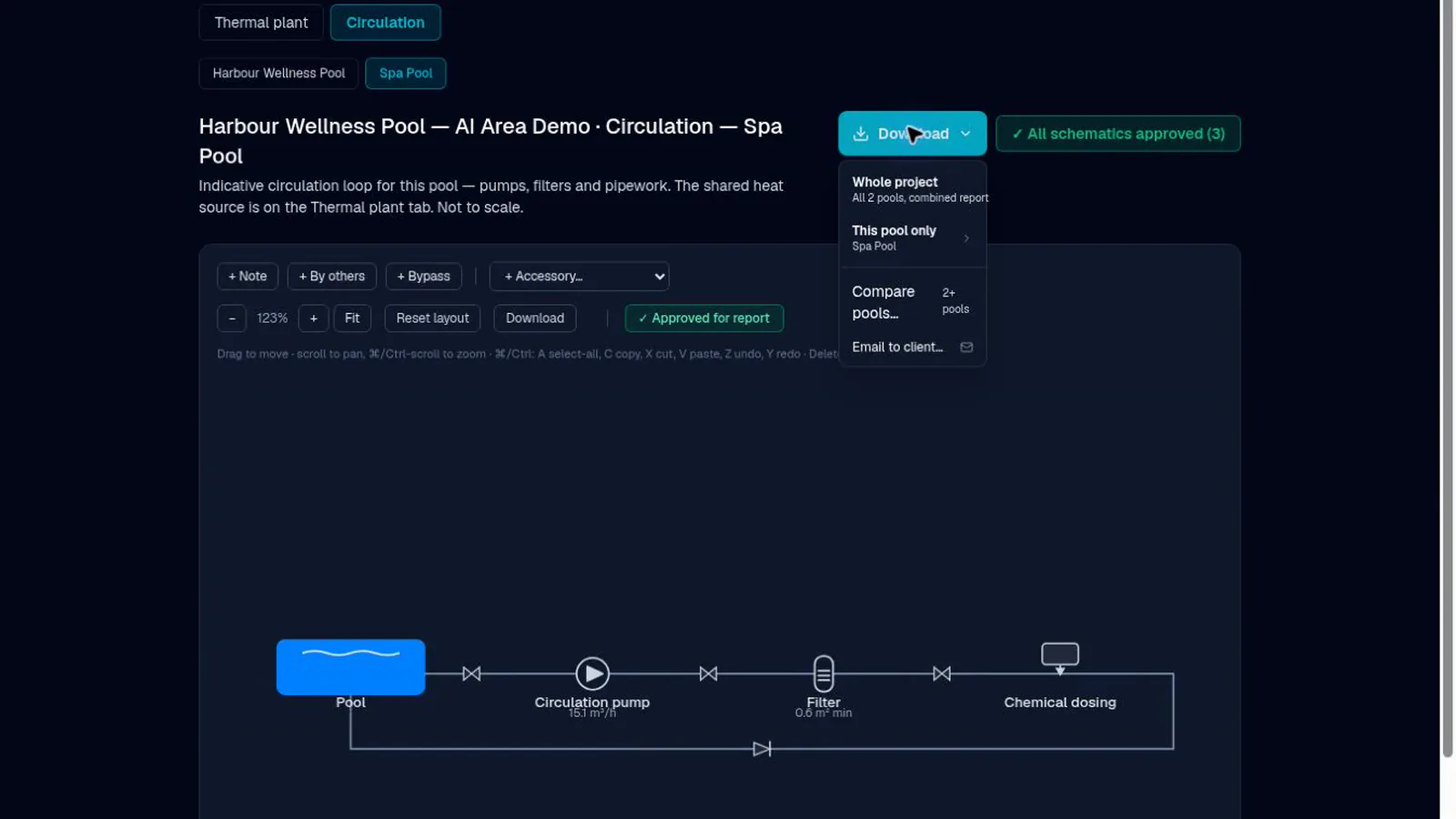
A branded engineer report with the sections you choose, and the same figures as data.
Engineer reportPro
Selectable sections, revision letters and a review and approval block on every issue.
Your brandingPro
Company details and logo carried onto every report you issue.
Excel and CSVPro
The same values as the report, as a spreadsheet and a data export.
Multi-pool and comparisonPro
Several pools as one project, issued combined or per pool, with a comparison report across them.
Report themes and white labelPro
Pro includes white-label output and twelve Engineer report themes with colour and font controls.
See it run on a project of your own.
Card required. Cancel before the trial ends to avoid being charged — Checkout and your account show the exact date and time.